The Ecommerce Manager's Hidden Productivity Problem (And Why It Was Hiding in Plain Sight)
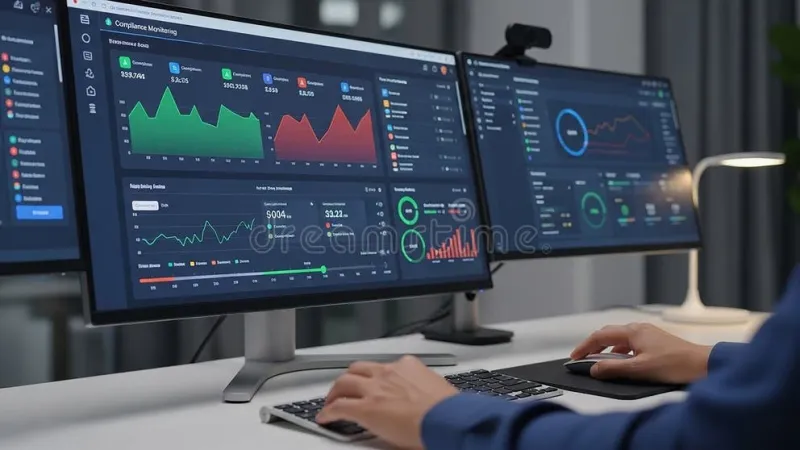
Photo: ecommerce manager working at desk with multiple screens showing analytics dashboards, via thumbs.dreamstime.com
Ask any ecommerce manager what their browser looks like on a Tuesday afternoon during a promotional push, and you'll get a laugh before you get an answer. It's not pretty. There's the analytics platform, the ad dashboard, the inventory management system, the Shopify backend, three Google Sheets, a competitor's product page they meant to analyze, and — somewhere in there — the Slack tab making a noise every four minutes.
For a long time, this was just accepted as the texture of the job. Ecommerce moves fast. The tab count reflects the pace. That's the story most people in the industry told themselves.
Turns out, that story was costing them.
The Connection Nobody Was Making
Cart abandonment is one of the most obsessed-over metrics in ecommerce. Companies spend heavily on retargeting campaigns, abandoned cart emails, and checkout flow optimization — all trying to recover shoppers who got close but didn't convert. The average cart abandonment rate in the US hovers around 70%, and entire agencies exist to chip away at that number.
What almost nobody was looking at was the internal side of the equation: the workflows of the people managing the store.
That's the thread that Danielle, an ecommerce operations manager at a mid-sized apparel brand based in Atlanta, started pulling on about eighteen months ago. Her team was missing promotional windows. Pricing errors were slipping through during high-traffic periods. Customer success leads were responding to escalations with outdated product information. None of it was catastrophic on its own. But it was consistent, and it was expensive.
When she started digging into how her team was actually working — not how they said they were working — browser habits kept coming up. "Everyone was operating in this fog," she said. "Too many tabs open, no real system, just reacting to whatever was loudest."
What Tab Sprawl Actually Does to High-Stakes Work
Ecommerce management is cognitively demanding in a specific way. It requires holding a lot of live, changing information in mind simultaneously — inventory levels, live campaign performance, customer sentiment — and making decisions quickly based on that picture. When the tools carrying that information are scattered across 30 open tabs with no organizing logic, the mental overhead of just navigating your own workspace becomes a real drag on performance.
Researchers who study cognitive load have a term for what happens when working memory gets overwhelmed: performance degrades in ways that feel like distraction but are actually closer to cognitive exhaustion. You make the decision that's easiest to make, not the one that requires pulling together information from multiple sources. You miss things. You cut corners you didn't mean to cut.
For ecommerce managers, that plays out as: wrong price goes live because someone was toggling between too many windows to catch it. Flash sale ends two hours early because the person responsible for monitoring it lost track of the tab. A customer escalation sits unanswered because it was buried under a pile of open browser sessions.
These aren't failures of effort or intelligence. They're failures of workflow design.
The Shift: From Reactive Tabs to Intentional Workspaces
Danielle's team didn't overhaul everything at once. They started with a simple rule: every work session starts with a defined tab set. Before a promotional push, there's a specific group of tabs that should be open — and only those tabs. Analytics, live inventory, the campaign dashboard, the customer queue. Everything else gets closed or saved for after.
It sounds almost too simple. But the effect was immediate and measurable.
"The first big sale we ran after we implemented it, we had zero pricing errors," she said. "That had never happened before during a high-volume event."
The concept here maps directly to what tab management tools like TabsOne are built for: the idea that your browser workspace should be structured around what you're doing right now, not everything you might need at some point. Grouping related tabs, saving session states, and having a clear protocol for when to open and close things isn't just tidiness — it's operational discipline.
Product Specialists and the "Reference Tab" Trap
It's not just ecommerce managers who run into this. Product specialists — the people responsible for keeping product listings accurate, complete, and optimized — have their own version of the problem.
A product specialist at a home goods retailer in Dallas described what she called the "reference tab trap": keeping competitor product pages, brand guidelines, style guides, and supplier spec sheets all open simultaneously because she never knew which one she'd need next. Over time, the tab count grew to the point where finding anything required a search — and searches break flow.
Her fix was to create what she called "context sets" — specific groupings of tabs for specific tasks. Writing product descriptions had its own set. Running a competitive analysis had another. Auditing existing listings had a third. Switching between tasks meant switching tab sets, not hunting through an undifferentiated mass of open windows.
"It changed how I think about starting work," she said. "Instead of just opening my laptop and diving into whatever, I actually decide what I'm doing first. That decision alone made me more productive."
The Revenue Connection
Here's the part that tends to get people's attention: these workflow changes showed up in business metrics.
Danielle's team tracked cart abandonment rates before and after their workflow overhaul. The direct correlation is hard to isolate — there were other variables — but in the six months following their tab protocol implementation, abandoned cart recovery improved by about 12%. Response times on customer escalations dropped. Promotional error rates hit a sustained low.
The product specialist's team saw a similar pattern. Listing accuracy scores — tracked by their platform — improved steadily in the quarter after she introduced context-based tab grouping. Better listings mean better search visibility. Better search visibility means more organic traffic. The chain from browser habits to revenue isn't direct, but it's real.
Starting Your Own Workflow Reset
You don't need a formal initiative to start fixing this. A few practical moves can shift things pretty quickly.
Define your core tab set for each recurring work mode. What does "running a campaign" require? What does "doing a product audit" require? Those are different sets. Keep them separate.
Build a close-of-day habit. Before you shut your laptop, save your current session and close everything. Starting fresh each morning — with intention — beats inheriting yesterday's chaos.
Treat open tabs like a commitment, not a maybe. If you're not going to act on something today, it shouldn't be a tab. Bookmark it, add it to a task list, or let it go.
Use tab groups to mirror your workflow, not your interests. Group by project or task type, not by topic or vague category.
The browser is where ecommerce work lives. Getting intentional about how that space is organized isn't a productivity hack — it's just good operations. And good operations, as it turns out, is good for revenue too.