Your Browser Remembers Everything: How to Reconstruct Lost Work Like a Digital Detective
It's a familiar gut-punch moment. You're looking for that half-finished competitive analysis — the one you spent three hours building out last month — and it's just... gone. The tab's closed, the doc is missing, and your memory of where you even started is fuzzy at best. You write it off as lost work.
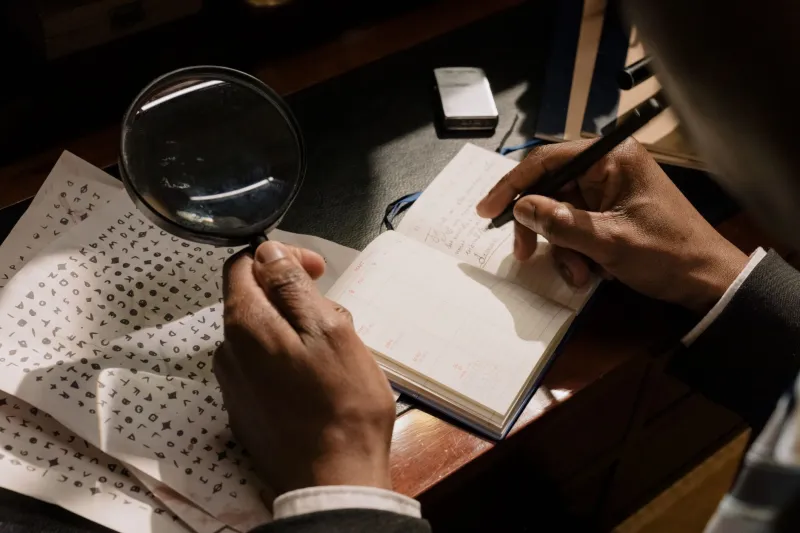
But here's the thing: it probably isn't gone. Your browser has been quietly logging everything, and if you know how to read what it left behind, you can reconstruct more than you'd expect. Think of it less like data recovery and more like crime scene investigation — your browser is the witness, and it's been taking notes the whole time.
This is the Tab Archaeology Method: a systematic way to comb through browser artifacts, tab patterns, and search history to recover lost context, unearth abandoned ideas, and piece together work threads that got dropped somewhere along the way.
Why Browsers Are Better Witnesses Than You Think
Most people treat browser history like digital clutter — something to clear out periodically without much thought. But that history is actually a surprisingly detailed record of how your brain was working on a given day.
Every search query you ran, every site you visited, every tab you opened and closed — it all has a timestamp. That means your browser can tell you not just what you were researching, but when, and often in what sequence. That sequence is the key to reconstructing context.
When you're trying to recover a lost work thread, you're not just looking for a single URL. You're looking for the cognitive trail — the chain of searches and clicks that led you from a vague question to a half-formed answer. That trail is almost always still sitting in your browser, waiting to be read.
Start With the Timestamp, Not the URL
The instinct when you're looking for lost work is to search for something specific — a domain name, a keyword. That can work, but it's fragile. If you don't remember exactly what you were looking at, keyword searches in your history will return noise.
A better starting point is time. Ask yourself: roughly when was I working on this? Even a loose answer — "sometime in early March, probably a Tuesday or Wednesday" — gives you a window to work within.
In Chrome, you can filter history by date. Firefox lets you search within date ranges too. Safari's history view is more limited, but third-party tools can help you get more granular. Once you've narrowed the window, scan for clusters — periods where you clearly went deep on something, opening multiple tabs in a short timeframe. Those clusters are your excavation sites.
Reading Tab Clusters as Units of Intent
Here's a concept worth internalizing: tabs opened in close succession are almost never random. They represent a single line of inquiry — a question your brain was chasing at a specific moment. When you see five or six tabs opened within a few minutes of each other, that's a work unit. That's your past self mid-thought.
When you find a cluster like that in your history, open those pages back up together. Don't just skim them individually — look at them as a group. What question were you trying to answer? What decision were you working toward? Often, just seeing those pages side by side in the same window will kick your memory back into gear faster than any notes app could.
TabsOne's tab grouping features are useful here, by the way — if you're reconstructing old sessions, creating a dedicated group for "recovered work" keeps things from bleeding into your current workflow while you piece things together.
Mining Search History for the Question Behind the Question
Your search queries are arguably more valuable than your visited pages, because they show your intent rather than just your destination. A series of searches like "SaaS churn rate benchmarks" → "how to calculate net revenue retention" → "NRR vs GRR difference" tells a very specific story. You were building foundational knowledge on a metrics topic, probably for a presentation or a proposal.
When you find a search thread like that, write it down before you do anything else. That sequence is the outline of a thought process — and it'll help you figure out where the work was headed, even if you never finished it.
Pay special attention to searches that seem slightly off-topic or exploratory. Those are usually where things got interesting. The weird tangent you chased on a Tuesday afternoon might be exactly the angle that makes a stalled project worth revisiting.
Cache and Saved Content: The Underrated Backup Layer
If the page you were researching has since changed or gone offline, your browser's cache might still have a version of what you saw. Typing cache: before a URL in Chrome (when using Google) can sometimes surface a saved snapshot. It's not foolproof, but it's worth trying before you give up on a source entirely.
Beyond cache, check your browser's "Reading List" or "Saved" features. A lot of people save things in the moment with vague intentions to return, then completely forget they did it. Your saved articles and bookmarks are often a graveyard of half-formed projects just waiting to be exhumed.
Same goes for any browser extensions you use. Read-it-later tools like Pocket or Instapaper, annotation extensions, even clipboard managers — these are all potential archaeological sites if you haven't dug through them recently.
Turning Recovery Into a Forward-Looking Habit
The Tab Archaeology Method isn't just useful for emergencies. Once you start seeing your browser history as a structured record of your thinking, you'll naturally start leaving better artifacts behind.
A few habits that make future reconstruction way easier:
- Name your tab groups before you close them, even temporarily. "Competitor research — March" is infinitely more useful than five unnamed tabs you'll never identify.
- Bookmark clusters, not just pages. When you finish a research session, save the whole group to a folder with a date and project name.
- Leave breadcrumb searches. When you're about to close a session, run one final search summarizing what you were working on. It sounds weird, but it creates a clear timestamp in your history you can find later.
- Use session managers. Tools that let you save and restore full browser sessions are the closest thing to a proper work journal your browser can offer.
The Work You Think You Lost Is Usually Still There
Lost work is demoralizing in a specific way — it's not just the time you spent, it's the thinking you did. The mental models you built, the connections you made, the momentum you had. That stuff feels irreplaceable.
But most of the time, the thinking is still there. It's just distributed across a dozen tabs you closed, a handful of searches you ran, and a cluster of bookmarks you forgot about. Your browser saw all of it. It just needs someone to ask the right questions.
Treat your browser like the record-keeper it actually is, and you'll be surprised how much work you can pull back from the void.