Your Employer Might Be Reading Your Tabs: What Enterprise Browser Monitoring Actually Looks Like in 2024

Photo: San Diego Air & Space Museum Archives, Public domain, via Wikimedia Commons
Imagine sitting down at your work laptop on a Tuesday morning, pulling up your usual spread of tabs — the project tracker, a few background-research articles, maybe a job board you told yourself you were "just checking" — and not realizing that somewhere in your company's IT infrastructure, a dashboard is quietly logging all of it.
This isn't a dystopian hypothetical. It's increasingly standard practice at large enterprises across the country.
A growing category of workplace monitoring software has evolved well beyond basic time-tracking. These platforms now offer granular visibility into browser behavior: which domains employees visit, how long specific tabs stay active, how often workers switch between tools, and even which pages get the most scroll depth. For Fortune 500 companies managing thousands of remote or hybrid employees, this data has become an operational asset. For workers, it raises questions that don't have easy answers.
What These Tools Actually Track (It's More Than You Think)
Let's get specific, because the gap between what employees assume is being monitored and what's technically possible is surprisingly wide.
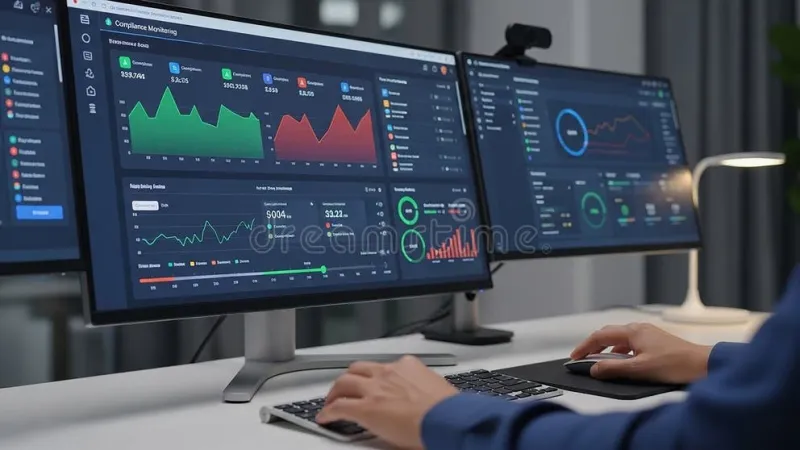
Modern enterprise browser monitoring tools — platforms like Teramind, Veriato, and newer players built specifically around Chromium-based managed browsers — can capture a lot. We're talking tab titles and URLs in real time, active versus idle time per tab, time-of-day browsing patterns, application switching frequency, and in some configurations, periodic screenshots of the entire desktop.
Some enterprise versions of Chrome and Edge, deployed through managed device policies, go even further. IT administrators can configure these environments to log every site visited, flag specific keywords in URLs, and generate automated alerts when an employee visits certain categories of content.
The nuance here matters: not every company using these tools is actively surveilling employees in a punitive way. Many IT and HR teams use aggregated, anonymized data to understand workflow bottlenecks — like discovering that half a department spends two hours a day toggling between a legacy CRM and a spreadsheet because no integration exists. That's genuinely useful operational intelligence.
But the infrastructure that enables that benign use case is the same infrastructure that could, in theory, flag the fact that you had a competitor's careers page open for 45 minutes last Wednesday.
Real Workplace Scenarios Where Tab Data Changed the Conversation
Several workplace case studies have surfaced in HR and IT circles that illustrate how this data gets used in practice.
At one mid-sized financial services firm, a tab audit conducted during a performance review cycle revealed that a top-performing analyst was spending nearly 30% of her day on a single internal wiki that was notoriously difficult to navigate. The company used that insight to overhaul the tool — a net positive outcome that the employee never would have been able to articulate herself.
In a different scenario, a manufacturing company's IT team noticed a cluster of employees in one regional office were consistently accessing a particular union-organizing website during work hours. The legal implications of how the company responded to that data became a significant HR headache — and a cautionary tale about the difference between having access to information and knowing what to do with it responsibly.
These examples aren't outliers. They reflect a genuine tension that companies are navigating right now: the same browser data that helps optimize workflows can also expose personal intentions, health-related searches, or political activity that employees reasonably assumed was private.
The Legal Gray Zone American Workers Are Living In
Here's the uncomfortable truth about employee monitoring in the United States: the legal protections are thinner than most people expect.
Federal law generally permits employers to monitor activity on company-owned devices and networks, as long as employees have been notified — and that notification often lives in the fine print of an onboarding document most people signed without reading. A handful of states, including Connecticut and Delaware, require more explicit disclosure. California's privacy framework offers somewhat stronger protections. But across most of the country, if you're working on a company laptop connected to a company network, your browsing activity is legally fair game.
What's murkier is the ethical territory. Legal doesn't automatically mean appropriate, and a growing number of employment attorneys and workplace psychologists argue that aggressive tab monitoring erodes trust in ways that cost companies more in turnover and disengagement than they gain in productivity insight.
The American Management Association has noted that companies implementing monitoring programs without transparent communication about how data is used tend to see measurable drops in morale — which is a pretty significant irony when the stated goal is improving performance.
What You Can Do Before Your Employer Knows Your Habits Better Than You Do
The most practical response to this landscape isn't paranoia — it's self-awareness. Understanding your own browsing patterns before anyone else analyzes them puts you in a much stronger position, whether you're trying to optimize your own workflow or simply understand what story your digital behavior tells.
Start by auditing yourself. Spend one week paying attention to what you actually have open during work hours and why. Are your tabs organized around active priorities, or are they a graveyard of half-finished research and deferred decisions? Tools like TabsOne can help you see your own patterns clearly — not because your employer is watching, but because you deserve to understand your own workflow.
Separate personal browsing from professional browsing deliberately. If your company provides a managed device, treat it as a professional-only environment. Personal research, health questions, job searches — keep those on a personal device on a separate network. This isn't just about privacy from employers; it's about cognitive hygiene. Mixing personal and professional browsing in the same browser session is a focus killer anyway.
Read your company's acceptable use policy. Seriously. Most employees haven't. Knowing what your employer has explicitly reserved the right to monitor changes how you make decisions about what you do on company equipment.
And if you're in a leadership or HR role, consider this: the way you communicate about monitoring tools is as important as the tools themselves. Employees who understand what's being collected and why — and trust that it's being used to help rather than surveil — respond very differently than employees who find out about monitoring through the grapevine.
The Bigger Picture
Browser tabs have become one of the most honest reflections of how knowledge workers actually spend their time. They're not curated or performative the way a status update or a meeting agenda is. They're just the raw, unfiltered record of where your attention went.
That's exactly what makes them valuable to employers — and exactly what makes the conversation about who gets to see them so important.
The companies getting this right aren't the ones with the most sophisticated monitoring dashboards. They're the ones treating browser data the way they'd want their own personal data treated: with discretion, a clear purpose, and a genuine commitment to using what they learn to make work better rather than to build a case.
Until that standard is universal, the best thing any of us can do is understand our own digital footprint clearly enough that nothing in it would surprise us.